All features

Everything inside Speklo.

Record, transcribe, summarise and act on every meeting. The full breakdown of what Speklo does for product managers, engineers, and teams.

01

Capture every conversation

Meeting Recording & Import

A floating recorder sits on top of your apps during meetings, capturing both your microphone and system audio for any remote call — Zoom, Google Meet, Teams, or in-person. Already have a recording? Import MP3, WAV, M4A, FLAC, OGG, AAC, or WMA files directly. Whisper then transcribes it on your Mac, and the audio file is deleted the moment its transcript is written.

  • Floating recorder with real-time audio level visualization
  • System audio + microphone capture for remote calls
  • Transcribed on your Mac by Whisper — 150+ languages, no upload
  • The recording is deleted the moment its transcript is written
  • Speaker turns labelled Speaker 1, Speaker 2 — no voiceprints, ever
  • Import audio files: MP3, WAV, M4A, FLAC, OGG, AAC, WMA
  • Watch folder for automatic recording detection
  • Auto-match recordings to Google Calendar events
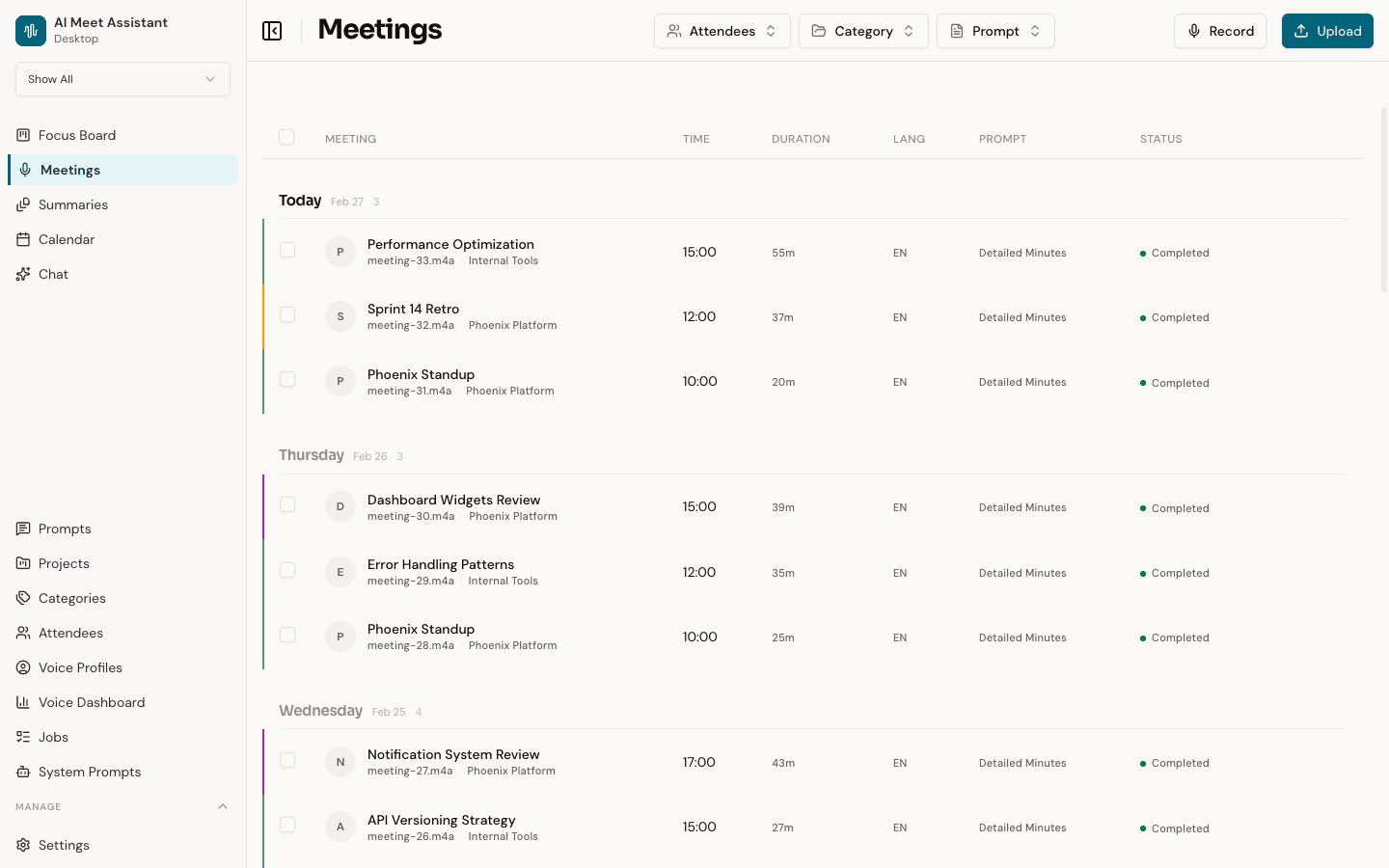
Speklo meetings page showing a list of recorded meetings grouped by day with attendees, categories, and processing status
02

Structured insights in minutes

AI-Powered Summaries

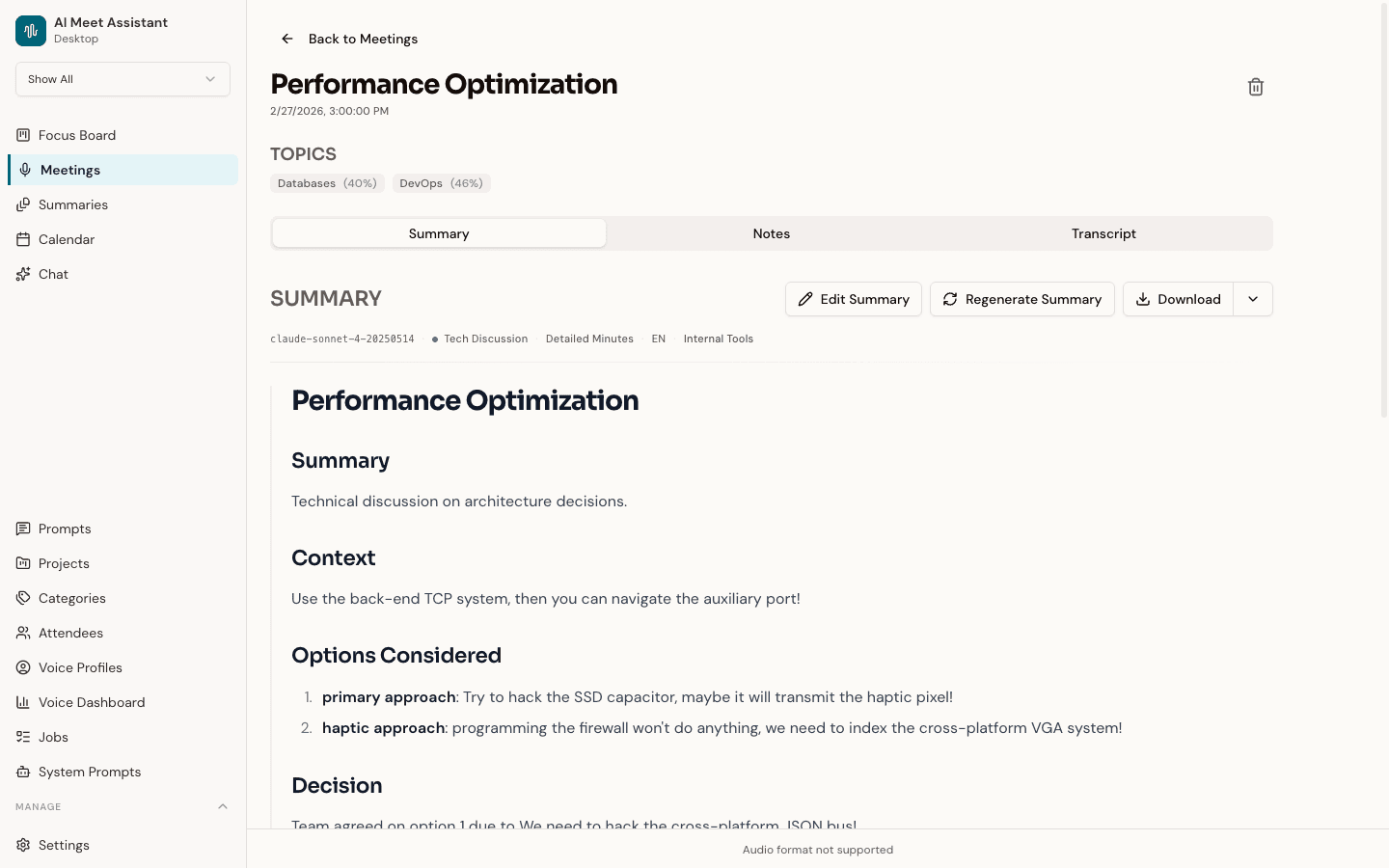
Every meeting gets a structured AI summary — decisions, action items, key topics, and follow-ups extracted automatically. View summaries in a rich text editor, edit inline, reassign categories, regenerate with different prompt templates, and export as Markdown, PDF, or clipboard copy.

  • Decisions and action items extracted automatically
  • Rich text editor — edit summaries inline
  • Custom prompt templates per category or event
  • Export as Markdown, PDF, or clipboard
  • Speaker-separated transcript alongside every summary
Speklo meeting detail view showing an AI-generated summary with decisions, action items, and key topics
03

Action items with receipts

Tasks

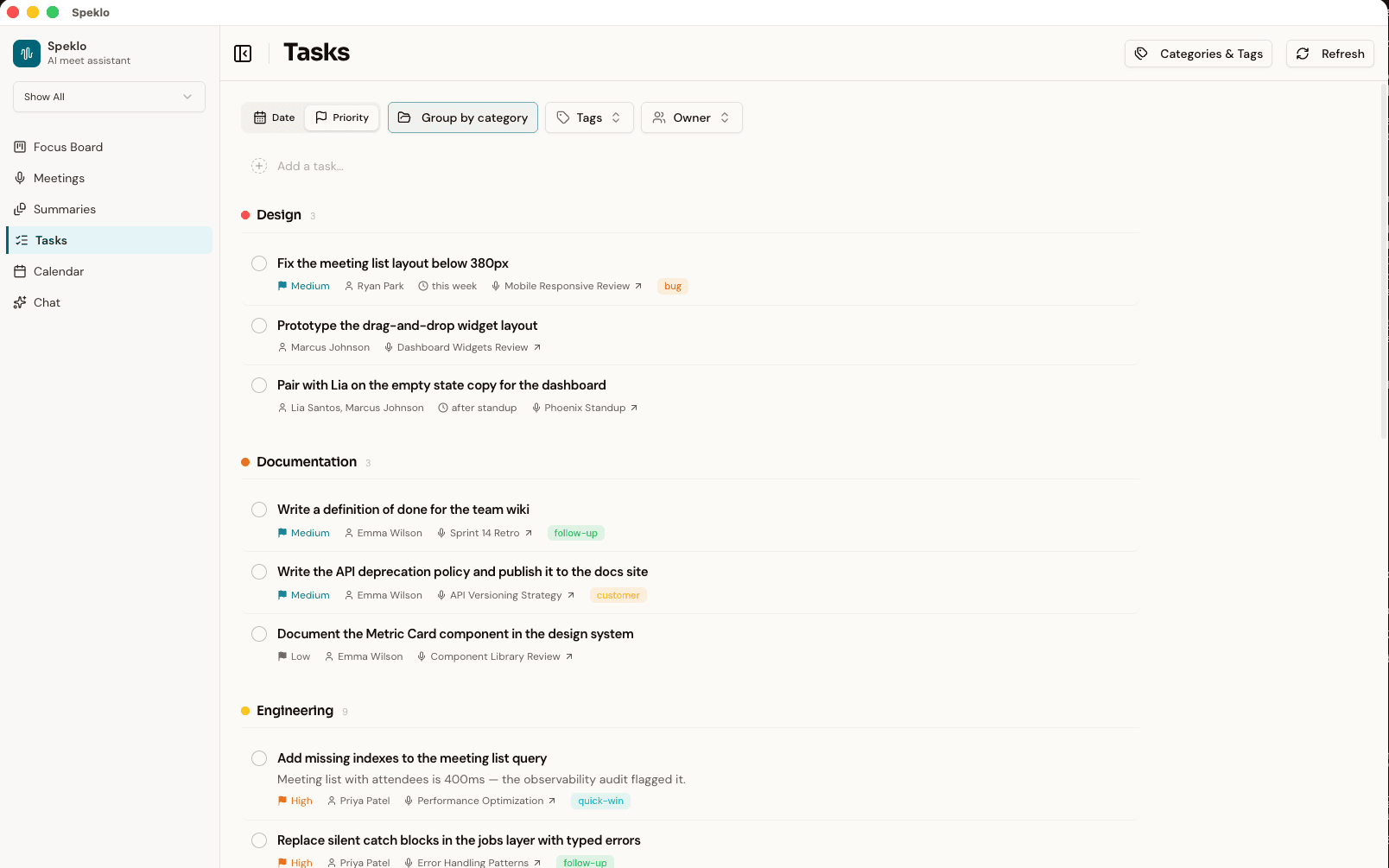
Speklo pulls commitments out of every meeting and attaches the verbatim quote that produced each one. A second, stricter AI pass re-checks every candidate against the transcript, so floated ideas, hypotheticals, and status updates never become tasks. One click promotes a suggestion into your list; re-processing a meeting only ever touches machine suggestions, never work you've added or completed.

  • Action items extracted from every meeting, automatically
  • Every suggestion shows the exact sentence it came from
  • Two-pass AI verification rejects anything that isn't a real commitment
  • Owners, due dates, priorities, categories, and tags — all editable inline
  • Group by day or category, filter by tag and owner
  • Every task links back to the meeting it came from
Speklo Tasks page showing tasks grouped by category with owners, due dates, priority flags, tags, and links back to their source meetings
04

Team work, board-shaped

Focus Board

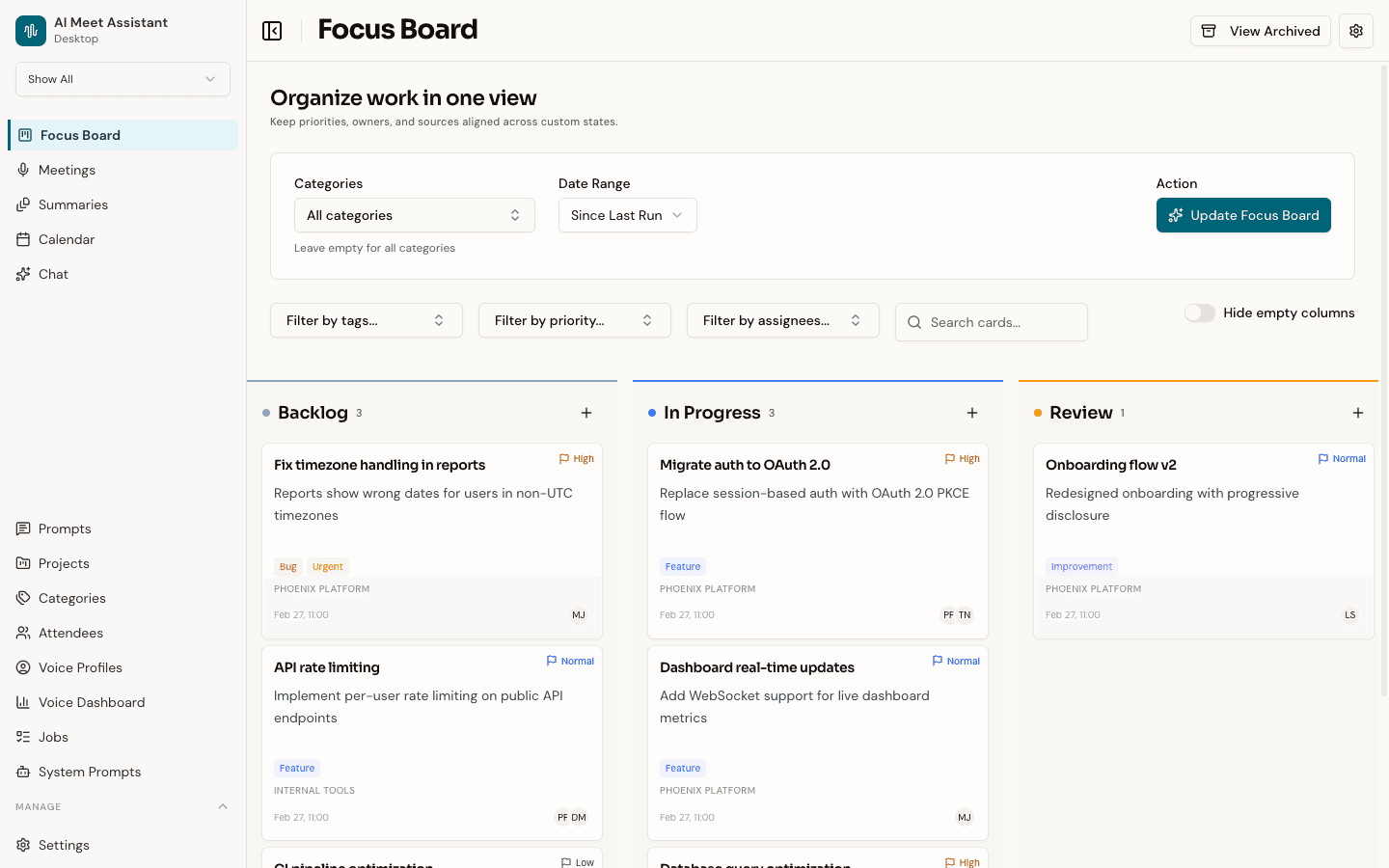
A kanban board that turns meeting content into structured work items. Select meetings and the AI reads through summaries or transcripts to create cards — tasks, action items, decisions, follow-ups — placing them into your workflow columns. Existing cards for the same topic get updated, not duplicated.

  • AI extracts tasks, decisions, and follow-ups into cards
  • Drag-and-drop kanban with custom workflow columns
  • Filter by tag, priority, assignee, or text search
  • Card detail with sources, context, and attachments
  • AI spec generator — point at your codebase for implementation specs
Speklo Focus Board showing a kanban view with cards organized by workflow state, each with priority flags and assignees
05

Instant answers from your history

Chat With Your Meetings

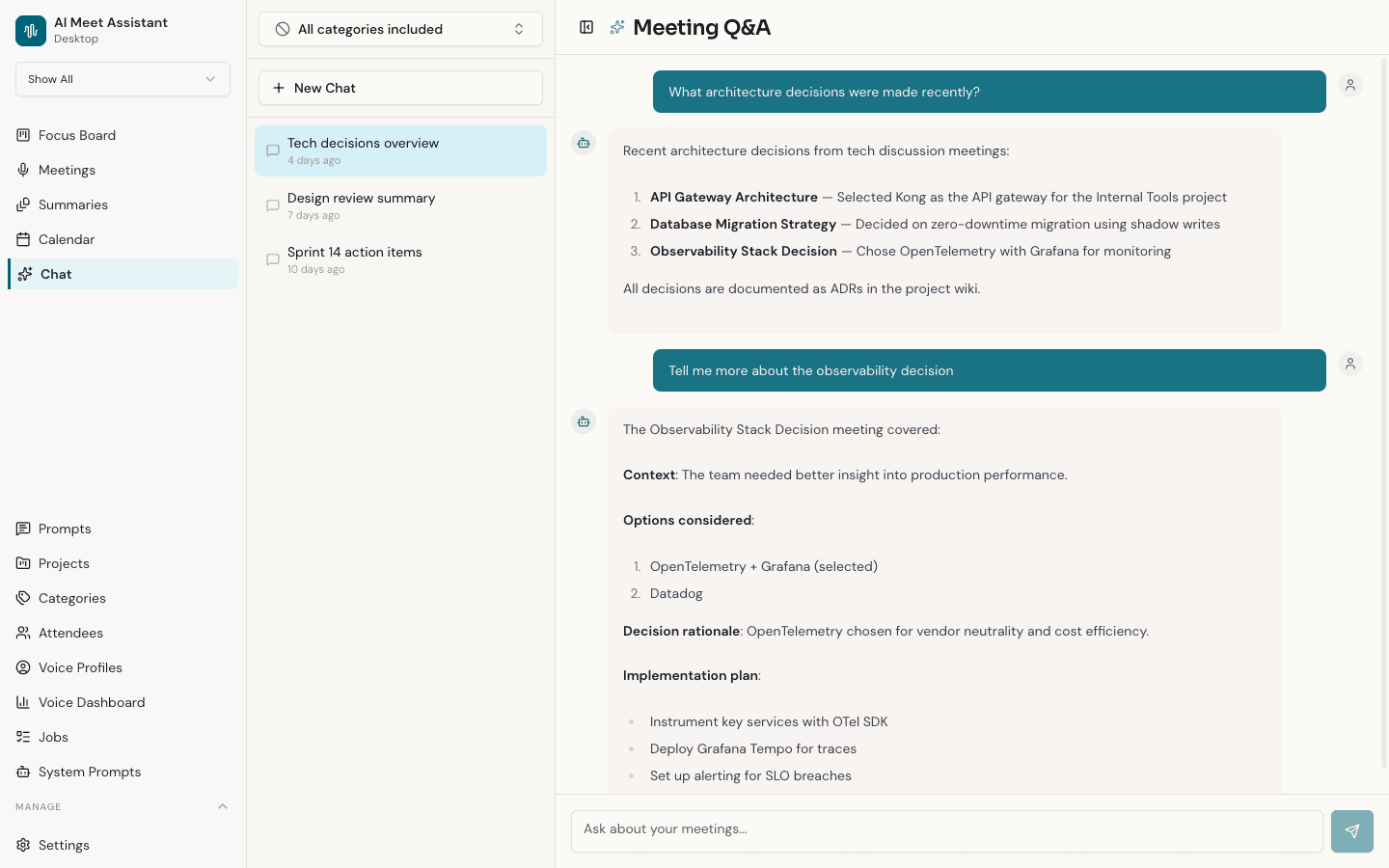
Ask questions about past meetings using natural language and get instant answers with source citations. "What did we decide about the Q3 roadmap?" — answered in seconds with exact transcript references. Conversations are persisted so you can continue threads or start fresh.

  • Natural language questions across your entire meeting history
  • Answers cite exact transcript moments
  • Persistent conversation threads
  • Filter categories from the knowledge base
  • Sample questions to get you started
Speklo chat interface showing a natural language question being answered with cited transcript excerpts
06

Patterns across weeks of meetings

Cross-Meeting Insights

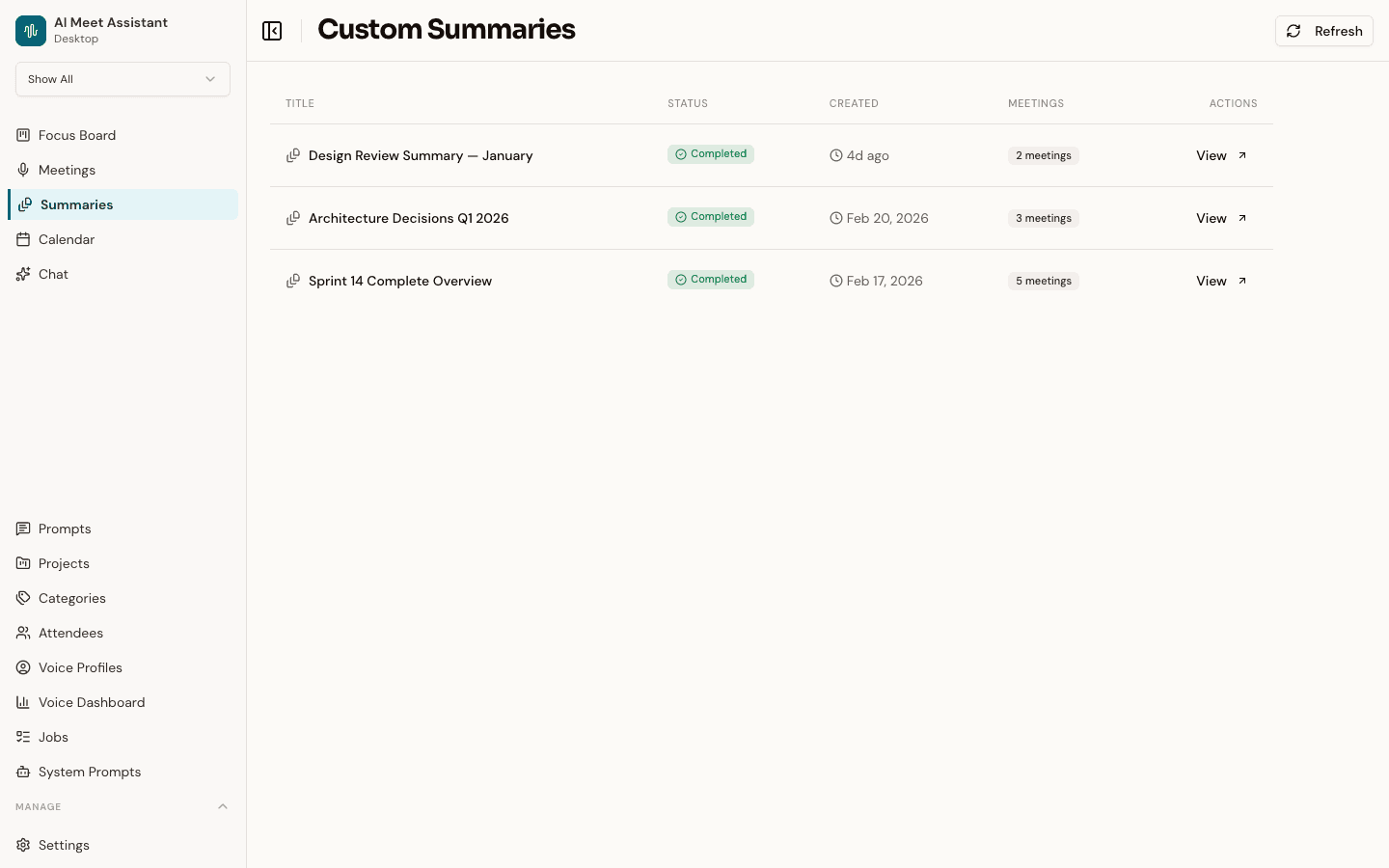
Synthesize insights across multiple meetings into a single document. Select meetings, write custom instructions — like "summarize all decisions about the product roadmap" — choose an AI model, and get a cross-meeting summary. Export as Markdown, PDF, or clipboard.

  • Select multiple meetings for synthesis
  • Custom instructions for targeted analysis
  • Real-time processing status
  • Export as Markdown, PDF, or clipboard
  • Custom summaries flow straight into your synced Markdown folder
  • Retry failed generation with different models
Speklo cross-meeting summaries showing a synthesized document combining insights from multiple meetings
07

Ready before you close the tab

Floating Recorder & Realtime Recap

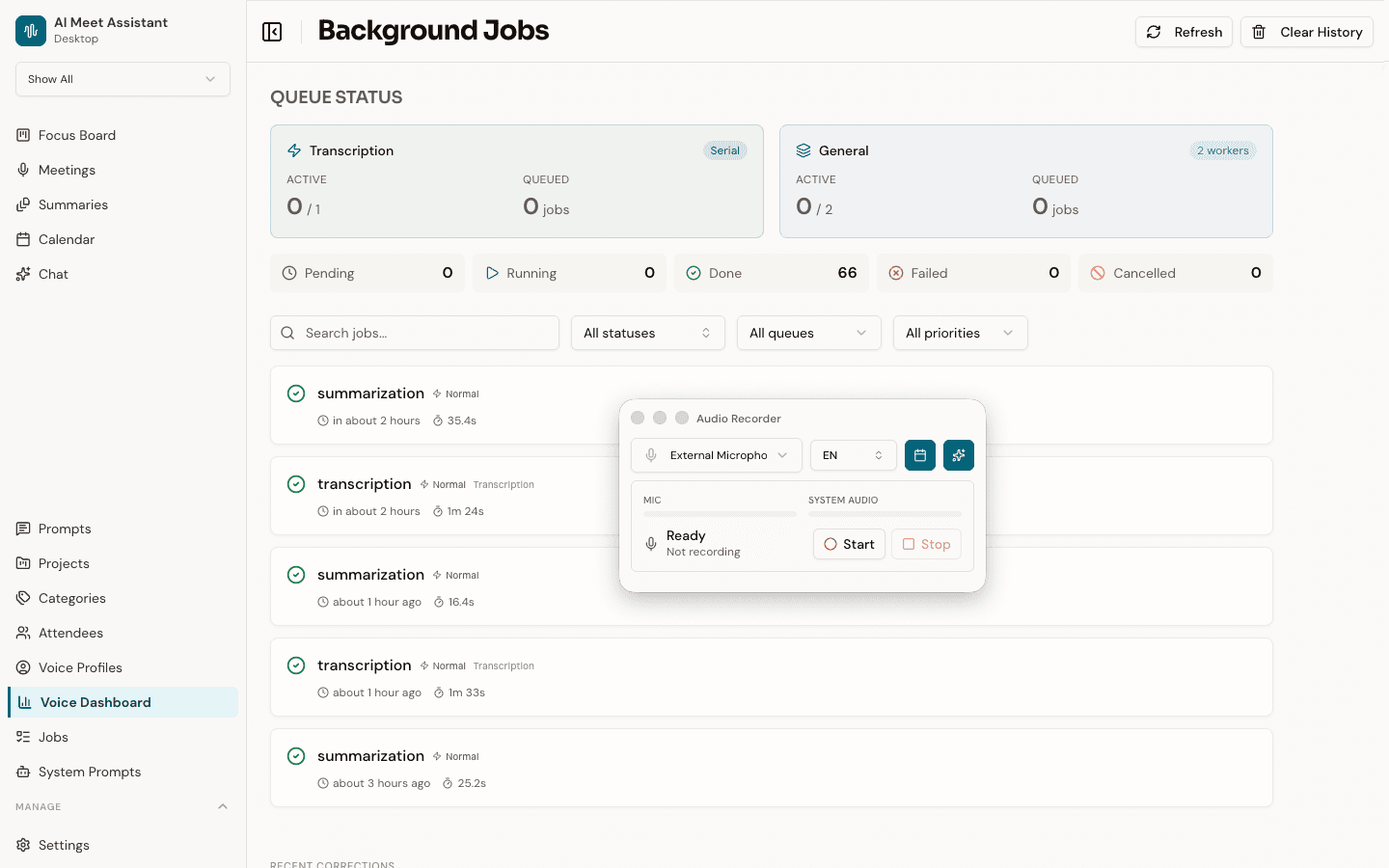
The recorder floats above your other apps. Pick a microphone, pick a language, and watch the levels confirm both sides of the call are landing. Switch on Realtime Recap and Speklo transcribes live, on-device, while you talk — so the instant you hit Stop there is already a recap waiting.

  • Always-on-top overlay with live levels for mic and system audio
  • Realtime Recap: up to five decisions, five action items, and a short summary
  • The live transcript is on-device too — nothing is streamed to a server
  • Auto-match to the Google Calendar event you're already in
  • Close the recorder and keep working — processing continues in the background
  • Realtime Recap is English-only and off until you turn it on
Speklo floating recorder overlay showing microphone selection, language options, and real-time audio level visualization
08

Your AI, your rules

Custom Prompt Templates

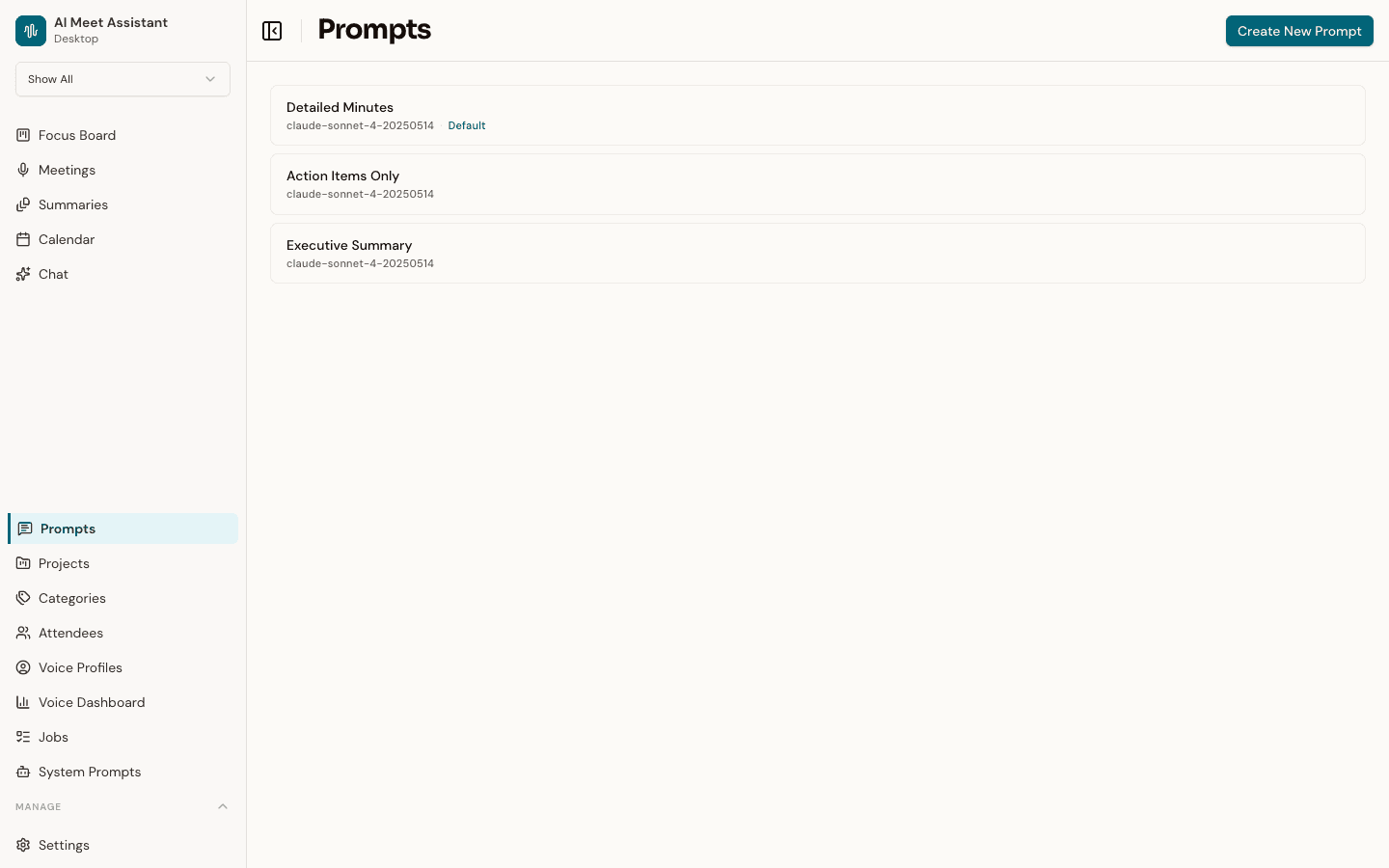
Control exactly how the AI summarizes your meetings. Create custom prompt templates with different AI models, set one as default, and override per-category or per-calendar event. Advanced users can edit the raw system prompts driving all AI behavior across Chat, Meetings, Tasks, and Focus Board.

  • Named prompt templates with model selection
  • Default template with per-category overrides
  • Raw system prompt editing for advanced users
  • Template variable validation
  • Reset individual or all prompts to defaults
Speklo prompt template editor showing custom prompt configuration with AI model selection

Also inside

More in the app.

The smaller pieces that make the big ones work.

Projects

One filter for everything

Group meetings, tasks and board cards into a project, then filter the whole app down to it. Each project can point at its own sync folder.

Calendar

Google Calendar, read-only

Recordings match themselves to the event you were in and pull the attendee list across. Any event, or a whole recurring series, can carry its own prompt, category and notes.

Sync

Markdown to a folder you own

Pick a folder and Speklo keeps writing to it: meetings, custom summaries, transcripts, recaps and board cards, updated as they change. Obsidian, git, or anything that reads files.

Glossary

Spell your product names right

Teach Speklo your acronyms, product names and customers once. Every transcript afterwards gets a correction pass, with a per-meeting log of exactly what changed.

Cost

Know what the AI cost you

Every model call is written to a ledger with its dollar cost. Charts and filters show where the spend went, kept for twelve months.

Models

Pick your transcription model

Download, switch and delete on-device Whisper models from inside the app. Start at 75 MB and move up to 2.9 GB when accuracy matters more than speed.

The pipeline

How it all connects.

From raw audio to structured action — every piece feeds the next.

Record

Mic + system audio

Transcribe

On your Mac

Summarise

AI-structured

Tasks

With quotes

Focus Board

Team workflow

Chat

Ask anything

Audio never gets past step two. It is written to a temporary file, transcribed on your Mac, and deleted the moment the transcript commits.

Get started

Capture every decision.

Free for Mac. No account. Transcription runs on-device, and the audio is deleted once it's transcribed.

macOS 13+ · Apple Silicon · Free forever